


“I need an AV receiver.” If you say this, the real work is just beginning—because there are worlds of difference between a compact 5.1 device for the living room and an AV processor with multiple multi-channel power amplifiers for your own home theater.
This guide helps you make the right purchasing decision. We are deliberately focusing on the device—the number of channels, the connections, the formats, the level of room calibration, and its future-proofing. The question of which setup and how many speakers will fit in your room, as well as their placement, is covered in more detail elsewhere; we will link to it at the appropriate points. In the end, you will know which class of device is right for you—and then you can take your time with the excellent question, “Which one sounds best?”
Table of Contents
- The most important rule: channels now, not later
- What will you use it for? TV, movies, gaming, music
- How many channels and which audio formats?
- HDMI: inputs, eARC, 4K/8K
- Streaming, multiroom, and smart home
- Movies only—or HiFi too?
- A look at the back: connections, subwoofers, active speakers
- Room calibration: how much automation, how much freedom?
- The classes: from small 5.1 to AV processor
- Typical mistakes and bad purchases
- Decision aid: what is right for whom
- Frequently asked questions
The most important rule: channels now, not later
If you take only one sentence from this guide, let it be this one: Plan for the level of expansion you will need in three years—not the one you are building today.
The reason lies in the design. Simply put, an AV receiver consists of two parts: the processor, which splits the sound into individual channels, and the power amplifiers, which amplify these channels. Both are built-in. If you build a 5.1 system today but want to move to Dolby Atmos with height speakers in two years, you will need the corresponding number of channels in the device right now—otherwise, you will have no choice but to replace the entire receiver. A device with a little more headroom costs a bit more today and will save you from having to buy it twice later.
The same applies to connections and formats. Remember one simple rule of thumb for everything else throughout this guide: Inputs can almost always be added externally later—channels, outputs, and audio formats cannot. That is exactly where a forward-looking approach pays off.
Which setup and how many speakers will fit in your room is explained in our overarching guide: Home theater buying guide: Which setup is right for my room?
What will you use it for? TV, movies, gaming, music
Before you look at spec sheets, answer one question: What will you mainly use it for? The answer will noticeably shift your priorities.
- Primarily improving TV sound. Then a convenient TV connection (HDMI eARC, more on that shortly) and a solid basic setup are what matter. You won't need much more than that at first.
- A proper home theater. Now the number of channels, audio formats, and room calibration become the deciding criteria—the core of this guide.
- Gaming. Here, image passthrough is what matters: The receiver sits between the console and the screen and must not become a bottleneck. Sufficient HDMI bandwidth and the passthrough of features such as high frame rates and variable refresh rate (VRR) are important. What matters for the image itself is covered here: Projector, laser TV, or television?
- Also listening to music seriously. Then you should decide early on whether the AVR can do it alone or whether a stereo amplifier should be added—see the section Movies only—or HiFi too?
In practice, it is often a combination. That is exactly why it is worth honestly determining the weighting: it decides where you invest and where you can save.
How many channels and which audio formats?
Understanding the numbers: 5.1, 7.1, 7.1.4
The designations may seem cryptic, but they follow a simple pattern. The first number stands for the speakers at ear level (front, center, surrounds), the second for the subwoofer channel (LFE), and the third for the height speakers.
- 5.1—five speakers plus a subwoofer. The foundation and the most sensible level for most living rooms.
- 7.1—two additional rear speakers for a more even surround.
- 5.1.2 / 7.1.4—the third digit brings the height level (Dolby Atmos, DTS:X) into play: two or four height speakers, respectively.
Processing and power amplifiers are not the same
A misunderstanding that regularly causes confusion for us and that you should know when reading spec sheets: Channel processing and built-in power amplifiers are two different things. A device can, for example, process eleven channels, but only amplify nine of them itself. This means: You can process a full 7.1.4 signal, but you will need an additional power amplifier for the last two channels—or you can start with one level lower and upgrade later.
For you, this means when buying: Pay attention not only to the number of processed channels, but also to the number of built-in power amplifiers. If you want to power all the speakers directly from the receiver right away, you will need enough of them. If you want to keep the option of expansion open, also pay attention to preamplifier outputs (pre-outs)—more on that below.
Which audio formats does the device need?
The same logic applies to formats as to channels: Secure now what you want to use. The foundation is formed by Dolby and DTS—practically every device supports them. For the height level, you need Dolby Atmos and DTS:X; if you want a third dimension of sound, you should pay attention to this. It is important to know: On some devices, the 3D formats are only available from a certain level of expansion—so a closer look is worth it.
Formats such as Auro-3D or particularly large levels of DTS:X expansion are more suited to ambitious, large setups and can be dispensed with in most living rooms. And an honest tip: The numerous sound programs that many devices come with (to make older stereo audio tracks sound more spacious, for example) are a nice playground—in the end, most people end up with one or two settings they like. They are rarely a reason to buy on their own.
HDMI: inputs, eARC, 4K/8K
HDMI is the central interface in home theater—this is where video and audio come together. Three points determine satisfaction or frustration.
Enough inputs—with headroom
Count your sources: Blu-ray player, streaming box, console, maybe a second player. And then plan for one more input than you need today. Having too few HDMI inputs is one of the most common frustrations—and one that can only be solved awkwardly with additional switchers.
A special case that many overlook: If you use a projector, you should also pay attention to the HDMI outputs. Some devices offer multiple outputs to control, for example, a television and a projector simultaneously—this is not a given.
eARC: the convenient way from the television
HDMI eARC (the improved version of ARC, the audio return channel) sends the audio from the television back to the receiver—over the same cable through which the receiver delivers the video. The benefit: You control the volume with the TV remote control, and the receiver often switches on automatically. eARC also transmits high-quality audio formats including Atmos, which older ARC versions could not. If TV sound is a regular topic for you, this is a very useful feature.
4K, 8K, and HDMI 2.1—objectively assessed
4K passthrough is standard today and should be a given. With 8K and the HDMI 2.1 standard, a sober look is worth it: For pure movie watching, 8K currently plays almost no role because there is hardly any material for it. HDMI 2.1 becomes relevant above all for gaming—for high frame rates and variable refresh rates from current consoles. If you game seriously, you should make sure that the corresponding HDMI inputs also pass through these signals. If you use the receiver purely for movies, you don't need to let yourself be swayed by this.
Regarding the right cable: Digital cable

Streaming, multiroom, and smart home
Modern AV receivers are no longer just movie sound centers. There are three network topics you should clarify for yourself.
Streaming. Many devices come with network streaming and an app included—Spotify, Tidal, Qobuz, internet radio, your own library. This is convenient and completely sufficient for most people. If you want the maximum in terms of sound, you can alternatively connect a separate streamer, which can be replaced in a few years without replacing the receiver. What streaming means exactly and what matters with resolution and services: Understanding music streaming · Streamer
Multiroom. If your home theater is to become part of a larger system—music in the kitchen, bathroom, on the terrace—then pay attention to the built-in ecosystem. Many manufacturers rely on their own multiroom system, which connects the receiver with suitable speakers throughout the house. Which system is right for you is explained in our overview: Multiroom systems at a glance · Multiroom
Smart home and control. If the receiver is to be integrated into a home control system such as KNX, Loxone, or Control4, the ability to control it over the network matters. Sophisticated devices can be addressed via IP and offer either an open interface or a ready-made integration module (driver) for the respective system—so you can control the source, volume, and zones centrally, and the receiver also reports its status back to the system. Therefore, check whether there is a suitable connection for your control system; this is by no means a given with every device. For simpler tasks—such as automatically switching on a power amplifier or a motorized screen—the simpler trigger outputs are sufficient. Especially with larger installations, it is worth thinking about the integration early on.
Movies only—or HiFi too?
An AV receiver is often located in the living room—and there it is often intended to deliver not only movie sound, but also music. This is possible and works well, but deserves a conscious thought.
For many, the pure stereo operation of the receiver is completely sufficient. If you want more when listening to music, however, there is an elegant way: to run the front speakers through a separate stereo integrated amplifier or power amplifier. For this, the receiver needs pre-outs (preamplifier outputs) for the front channels. Many modern devices allow you to specifically switch off the internal power amplifier for the front, so that the receiver only works as a preamplifier there and leaves the amplification to a higher-quality device. The beauty of this is: You can use the same amplifier—for example with your turntable connected to it—for pure stereo enjoyment and at the same time integrate it into the home theater operation.
This is one of the reasons why a look at the pre-outs during purchase is worth it: They are the door to later upgrading, cost very little extra today, and are difficult to retrofit later. How you can sensibly combine stereo and home theater is explained in our general amplifier buying guide · Integrated amplifier · Power amplifier
How to specifically connect an amplifier or power amplifier to an AV receiver, configure it correctly, and what is behind it, we show you in this video—from cabling to settings and the theory behind it. Feel free to check it out:
A look at the back: connections, subwoofers, active speakers
The back of an AV receiver determines more about your long-term satisfaction than any glossy front. Go through it once carefully—preferably with your device list in hand.
The important connections
- Pre-outs. Preamplifier outputs to which you connect additional power amplifiers—for the front (see above) or for later expansion to more channels. The central expansion option.
- Subwoofer outputs. Check how many there are and whether they can be controlled separately—more on that shortly.
- Phono input. For the turntable. Not every receiver has one; if it does, it is usually an MM input (Moving Magnet). If you use an MC system, you need an amplifier or an external phono preamplifier that supports MC.
- Analog and digital inputs. RCA, optical, coaxial—for sources that do not run over HDMI.
- Trigger outputs. For automatically switching on power amplifiers, a screen, or home control.
And once again the rule of thumb, because it is most important here: Missing inputs you can almost always add externally. Missing outputs—pre-out, sub-out—you cannot add to the device later.
Subwoofer: one, two, or more
How many subwoofers the receiver can control is an underestimated purchasing criterion. Two subwoofers are not twice as loud—they distribute the bass more evenly over the seating areas and smooth out the typical room modes, where it booms in one place and almost nothing arrives a meter away.
The difference between the device classes lies in the detail: Simpler devices often have two sub outputs, but they output the same signal through them. Only higher-quality devices can calibrate multiple subwoofers separately and adjust them individually—a real advantage if you operate two or more subs. Another point that is especially appreciated by rental apartment theaters: Some devices allow you to connect a tactile transducer (bass shaker under the couch) to a sub output instead of a subwoofer and set it separately—for palpable low frequencies without blasting the neighbors.
One more tip: Some subwoofers are passive and need their own power amplifier. You should consider this during planning. Everything about the selection, placement, and calibration of the subwoofer is here: Correctly selecting and placing the subwoofer · Subwoofer
Passive or active speakers?
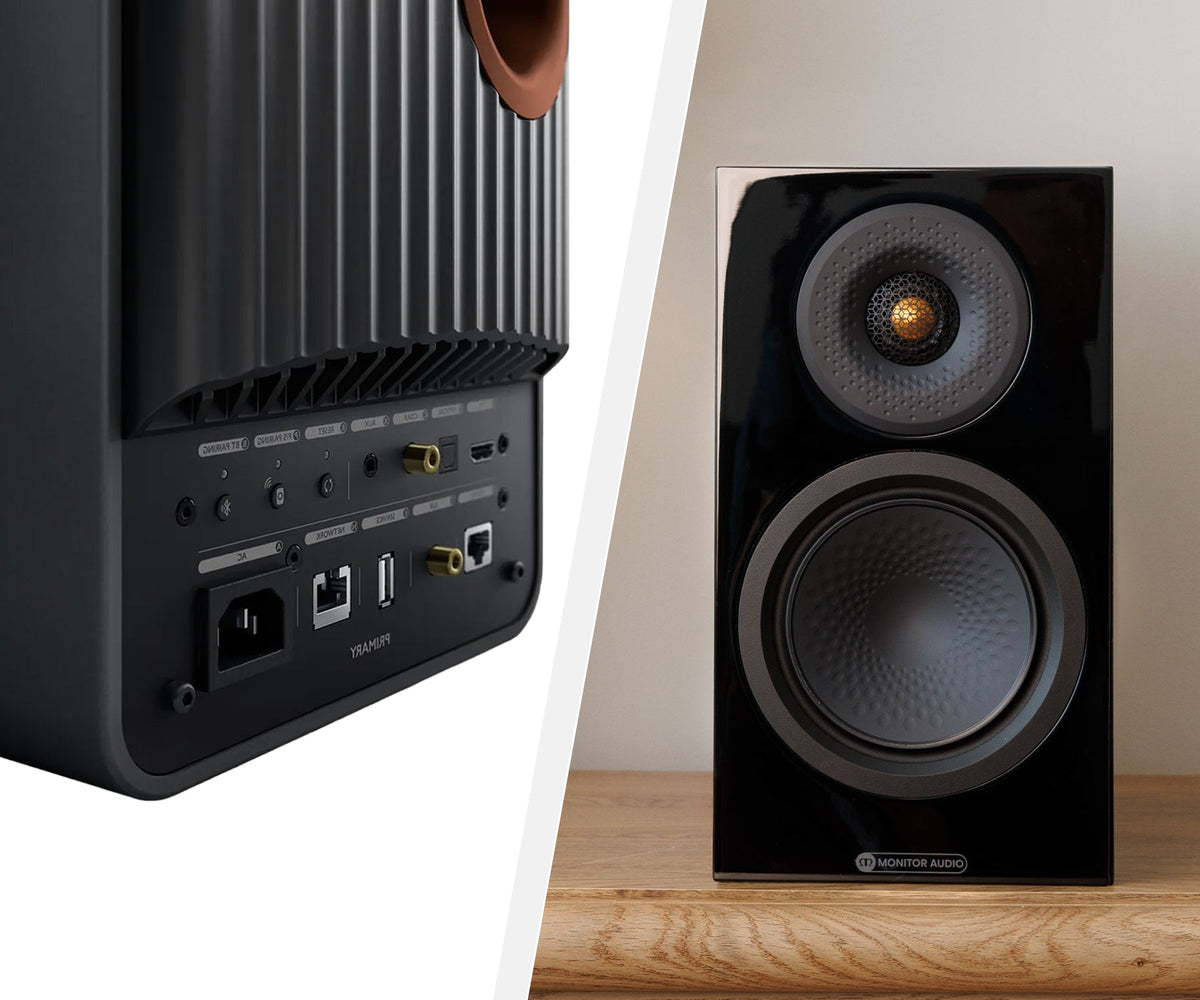
Most home theater sets consist of passive speakers that the receiver amplifies. But it can also be done differently: Active speakers bring their own amplification and are controlled via the pre-outs—they are often additionally DSP-controlled and can be adjusted very precisely to the room. This is particularly interesting for demanding front setups or invisibly built-in setups. Mixed forms are also possible, such as active fronts and passive surrounds. The only important thing is that the receiver comes with the necessary pre-outs. For comparison: the classic floorstanding speakers.
Room calibration: how much automation, how much freedom?
Every room sounds different. A calibration system adapts the sound to exactly your room—and is thus one of the most important features of all. The only question is how deeply you want to dive in.
- Purely automatic. Set up the microphone, run the test tones, done. This already leads to a good result and is just right for beginners—you are usually guided step by step through the process.
- Semi-automatic. The automation lays the foundation, after which you intervene specifically—for example via a graphic equalizer to correct individual peaks.
- Fully manual. For everyone who wants to squeeze out the last percentages: parametric equalizers per speaker, sometimes even via a browser interface instead of through the on-screen menu. You can lose yourself here—you should know what you are doing.
One important principle, no matter how deeply you go: Set up correctly first, then calibrate. A calibration system corrects a lot, but it cannot repair a wrong setup. And if it intervenes too strongly, it takes the liveliness out of the sound. How you position the speakers optimally: Correctly placing speakers
Room calibration at home or via remote diagnosis. You don't want to do it yourself – or want to squeeze out every last drop of performance? We'll handle the room calibration at your premises. And if you prefer to do it yourself, we can even do it remotely: all you need is a microphone, take a few recordings and send them to us. We'll then tell you exactly what to set on your receiver. To make this work, you'll let us know in advance which system you have; afterwards, you'll receive an easy-to-understand step-by-step guide. Just ask via our contact form.
The classes: from the compact 5.1 to the AV processor
AV devices come in a wide range of classes – and which one is right for you depends on how large and ambitious your home cinema is going to be. A rough upgrade path:
- Compact 5.1 AV receiver. The entry point into real multi-channel home cinema. Completely sufficient for the classic living room cinema, provided the equipment matches your sources.
- Large AV receiver. More channels, more power amplifiers, more headroom, often separate subwoofer calibration and higher-quality build. For ambitious living rooms and smaller dedicated rooms.
- Pre-/power amplifier combination. The preamplifier handles processing and room calibration, while a separate multi-channel power amplifier provides the amplification. More effort and space required, but with significantly more power headroom and flexibility.
- AV processor with multiple power amplifiers. The high-end league for the dedicated cinema room: a pure processor, plus one or more multi-channel power amplifiers, and additional power amplifiers for passive subwoofers if required. This is where you get absolutely everything out of it – and you'll find room calibration systems that assess the room fundamentally differently from standard automatic systems.
Power: headroom instead of volume
Power is the subject of the biggest misunderstanding. You don't need power to listen loudly all the time, but as headroom – so that the receiver doesn't lose its grip during transients (explosions, orchestral entries, bass attacks on all channels simultaneously). A device that is constantly working at its limit sounds strained and loses control in the bass.
A good indicator of real headroom is – in addition to the pure data sheet values – the build: a powerful power supply and a solid, torsion-resistant construction often bring more than any advertising figure. For good reason, devices of the same series differ mainly in their power supply and weight. Large, low-efficiency speakers in a large room require significantly more headroom than compact, high-efficiency speakers in a small living room. More on the interplay between amplifier and speaker: Amplifier buying guide
Future-proofing and build quality
Two things contribute to longevity. First, the build quality – a stable construction is not just about looks, but also reduces resonances and stands for quality on the inside. Second, upgradeability: Some manufacturers offer software updates and even hardware expansions for their higher-end devices, so that a device does not become obsolete immediately with new connection standards. Especially in the upper class, this is an argument that can justify the extra cost over the years.
In the range: AV amplifiers · AV preamplifiers · Multi-channel power amplifiers
Typical mistakes and bad purchases
Bought too few channels or power amplifiers. The most common and annoying mistake. If you build a 5.1 system today but want Atmos in two years, you'll be left without the necessary channels and face a complete replacement. Better to plan a little more generously now.
Bought the AV receiver for pure stereo music. If you only operate two speakers and don't need multi-channel sound, you're paying for channels, video processing, and formats in an AVR that you never use. The same money would have gone into sound quality in a stereo amplifier.
Too few HDMI inputs. You only notice it when the fourth source no longer has a place. Always plan one spare input. Always.
Forgot the outputs on the projector. If you want to operate a TV and projector simultaneously, you need the right HDMI outputs – not every device offers multiple.
Only looked at the numbers. Pure power ratings say little without room size, efficiency, and speaker impedance. The interplay is what matters.
Relied blindly on room calibration. It corrects a lot, but no incorrect speaker placement. Set up first, then calibrate.
Bought equipment that is never used. Twenty sound modes and formats feel good at the time of purchase – in everyday life, only the functions you really need count.
Decision aid: What is right for whom
You mainly want better TV sound and a solid living room cinema. → Compact 5.1 AV receiver with HDMI eARC and a solid automatic room calibration system. Make sure you have enough HDMI inputs for your sources.
You want an ambitious living room cinema with a height level. → Larger AV receiver with enough channels and power amplifiers for Atmos/DTS:X, ideally with pre-outs for later expansions.
Cinema is important to you, but so is really good stereo sound. → AV receiver with pre-outs, combined with a stereo integrated amplifier or a power amplifier for the front. One device, two worlds.
You are planning a high-end dedicated cinema room. → Pre-/power amplifier combination or an AV processor with multiple multi-channel power amplifiers. Here, every thought about headroom, room calibration, and future-proofing pays off.
You are a serious gamer. → Pay attention to HDMI 2.1 passthrough with high frame rates and VRR on enough inputs, so that the receiver does not become a bottleneck.
Frequently asked questions
Is a 5.1 AV receiver enough, or should I buy an Atmos-capable one right away?
A 5.1 device is completely sufficient for a very good home cinema. But if you see the height level (Dolby Atmos, DTS:X) even as a later option, buy a device with enough channels right away – because channels cannot be retrofitted later and would mean a complete replacement. You can, on the other hand, add the height speakers at any time.
What do numbers like 7.2.4 mean on an AV receiver?
The first number stands for the speakers at ear level (seven here: front, center, surrounds), the second for the subwoofer channel, the third for the height speakers (four here). 5.1 therefore means five speakers plus a subwoofer, 7.1.4 a fully developed setup with four height speakers. A note on the notation: On data sheets, you often read "7.2.4". This means two subwoofer outputs on the device – in the sound format itself, there is only one subwoofer channel. How sensible two subwoofers are and what matters in this regard is explained further up in the section on subwoofers.
Which sound formats does an AV receiver need – and which ones do I really need?
Dolby and DTS are part of the basic equipment and are practically always present. For a spatial height level, you additionally need Dolby Atmos and DTS:X – you should ensure these if you are planning height speakers. Formats like Auro-3D or particularly large DTS:X expansion levels are rather intended for ambitious, large setups and are dispensable for most living rooms.
How many HDMI inputs do I need on an AV receiver?
Count your sources (Blu-ray player, streaming box, console, and similar) and plan at least one more input. Too few HDMI inputs are a common annoyance that can only be solved awkwardly via additional switches. If you use a projector, you should also pay attention to multiple HDMI outputs.
What is HDMI eARC and what do I need it for?
HDMI eARC sends the sound from the TV back to the receiver via the same HDMI cable. The advantage: You control the volume with the TV remote control, and high-quality sound formats including Dolby Atmos are also transmitted. If you regularly listen to TV sound through your system, eARC is the most convenient feature for this.
Can I also use an AV receiver for good stereo / music?
Yes. For many, the stereo operation of the receiver is completely sufficient. If you want more when listening to music, you can connect the front speakers to a separate stereo amplifier or power amplifier via the pre-outs – the receiver then only works as a preamplifier for the front. So pay attention to pre-outs when buying, if this dual use is a topic for you.
Can I integrate my existing stereo amplifier into a home cinema?
In many cases, yes. Many AV receivers allow you to switch off the internal power amplifier for the front channels and pass them to a stereo integrated amplifier via the pre-outs. This way you use the same amplifier – for example with your turntable – for pure stereo enjoyment and at the same time integrate it into the home cinema operation. The prerequisite is that the receiver and amplifier have the right connections.
Can I connect a turntable to an AV receiver?
Yes, if the receiver has a phono input – this is usually an MM input (Moving Magnet). If it doesn't, you can connect a turntable with a built-in phono preamplifier to a normal input or insert an external phono preamplifier in between. For an MC system (Moving Coil), you need an input or a preamplifier that explicitly supports MC.
Is automatic room calibration enough, or is more effort worth it?
For most, automatic room calibration is enough and already delivers a good result. If you want more, you can manually fine-tune on many devices – all the way to parametric equalizers per speaker. But more important than any fine-tuning is the order: first set up the speakers correctly, then calibrate. A wrong setup cannot be repaired by any calibration.
AV receiver, pre-/power amplifier combination, or AV processor – which is better?
That depends on requirements, room, and budget. An AV receiver combines everything in one device and is the right choice for the vast majority of living rooms. A pre-/power amplifier combination offers more power headroom and flexibility. An AV processor with separate multi-channel power amplifiers is the high-end solution for the dedicated cinema room, when sound quality and expandability are above everything else.
How much do I have to spend on a good AV receiver?
A solid entry-level AV receiver for the living room cinema starts in the low three-digit to four-digit range, a large, well-equipped device is significantly higher, and pre-/power amplifier or processor solutions move up another league. What matters less than the pure price is the question of whether the device brings the channels, connections, and formats you need today and in a few years. That is exactly where it pays off to plan a little more generously than too tight.
How to proceed
If you have read this far, you probably already know which direction it should go – compact 5.1 receiver, large beast for the living room, or a processor solution for your own room. We are happy to clarify the rest together.
We plan and build everything – from the classic living room cinema to invisibly installed systems to the high-end cinema room with an AV processor and multiple power amplifiers. Tell us about your room, your sources, and what you have in mind, and we will coordinate the right solution accordingly – with us you can hear and see it beforehand.
View consultation & installation →
Request room calibration or contact us →
Directly in the range: AV amplifiers · AV preamplifiers · Multi-channel power amplifiers · Home cinema speaker sets · Subwoofers
Author: Fidelity

Share: